
Native Mac experience
Designed exclusively for macOS with a clean native interface.
 Escape The Paper
Escape The Paper
Escape The Paper is a private, Mac-native budgeting app that helps you understand spending, save for goals, and spot patterns in your finances. Get an app that respects your privacy and feels designed for the platform you love.

US $14.99 one-time purchase. Local App Store pricing may vary.
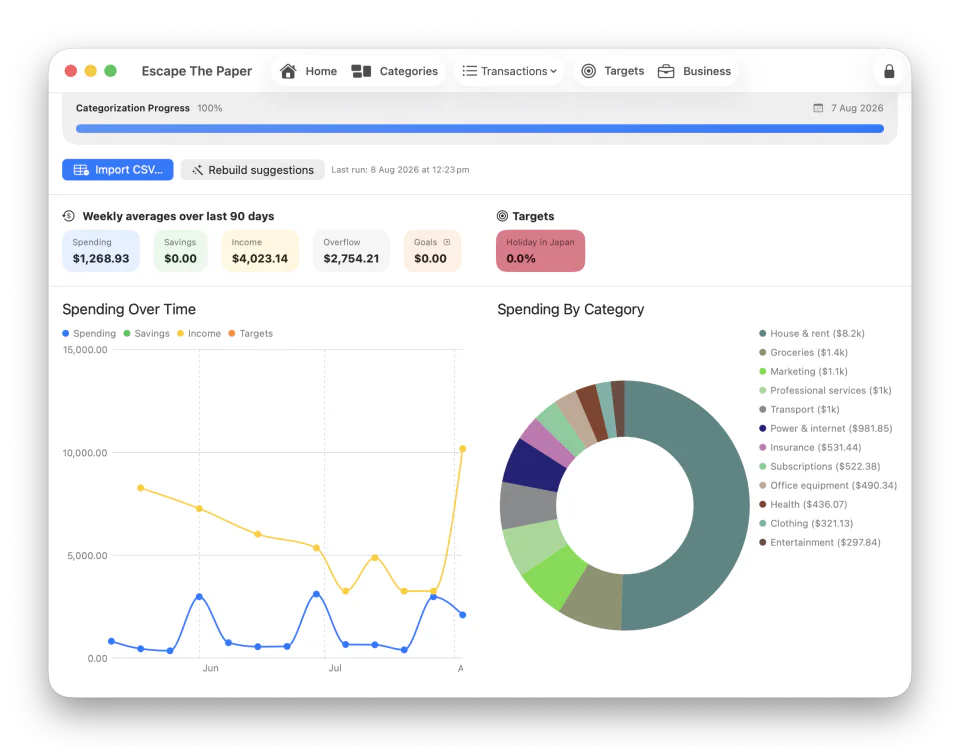
Built exclusively for Mac One-time purchase Respects your privacy
How it works
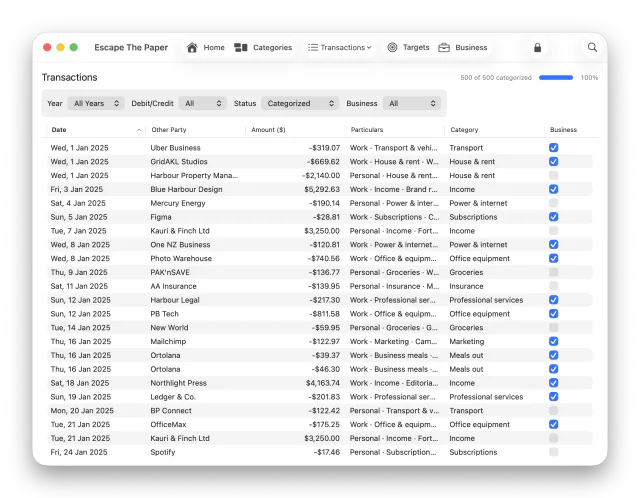
Import a CSV export from your bank, or enter transactions manually.
Use custom categories, tags, and smart suggestions to keep the work quick.
Review reports, compare trends, and set spending or savings targets.
Why people use it
Designed exclusively for macOS with a clean native interface.

Import bank CSV exports or add transactions manually.

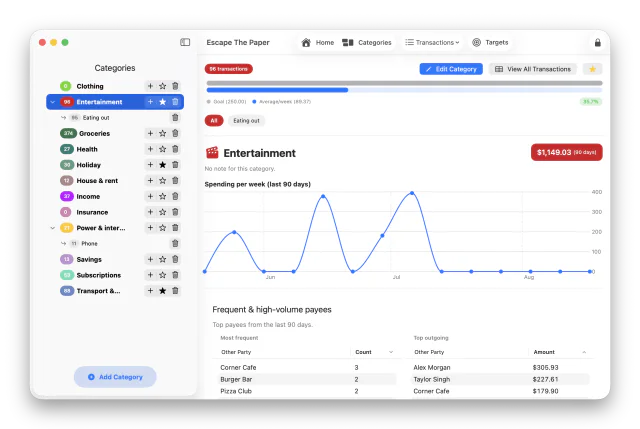
Customisable categories to match how you think about money.

Smart transaction suggestions to help you categorise faster.

Powerful tags with keyword-based auto-assignment.

Visual reports for spending, income, and savings over time.

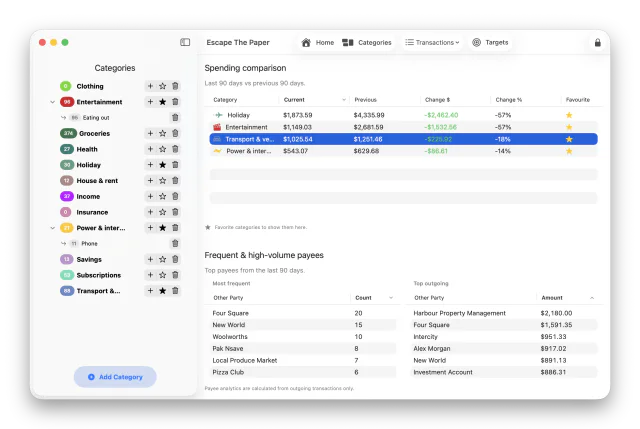
Compare monthly, quarterly, and yearly trends.

Set savings targets for holidays, weddings, cars, or any goal you want to work toward.

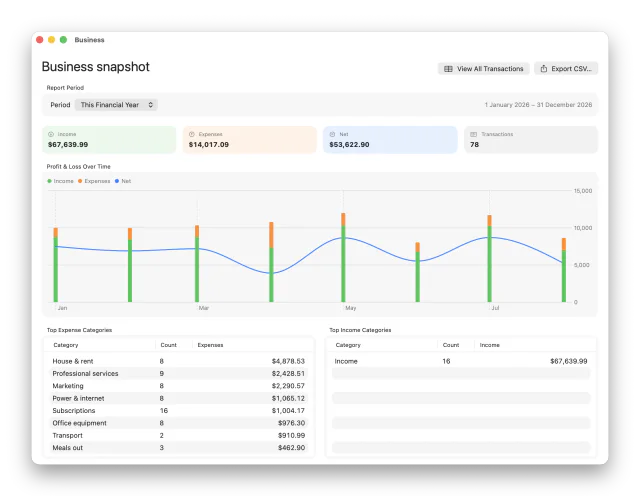
Keep unlimited separate budget files for personal, household, flatting, or business use.

Your data stays on your Mac in budget files you control.
Screenshots
FAQ
No. You import CSV exports yourself, so your banking data stays under your control.
No. Escape The Paper is designed to keep budget files on your Mac.
Yes. You can create unlimited separate budget files for different needs.
It's a US $14.99 one-time purchase, with no upsells or ongoing costs. Local App Store pricing may vary.
Yes. Escape The Paper is actively maintained and will continue receiving updates and improvements over time.
We're sole traders and side hustlers who wanted a clearer, privacy-respecting way to understand personal and business spending.
Ready to try it?
Private budgeting guides
See just how powerful a local app can be - built exclusively for macOS.
Read the guideKeep in control of your data all the time - no machine or man in the middle, here.
Read the guideUse bank exports to keep your data private.
Read the guideKeep budget files on your Mac and review spending on your schedule, on the couch, in the woods, or in the sky.
Read the guide