
How it works
How private Mac budgeting works with CSV import.
Escape The Paper turns transaction data you choose into a private, flexible budget on your Mac. Get an app that respects your privacy and feels designed for the platform you love.
1. Bring in the transactions you choose
Export a CSV file from your bank and import it into your budget, or add transactions manually. You decide when data comes in and build each review around the records you choose.
2. Organise spending around real life
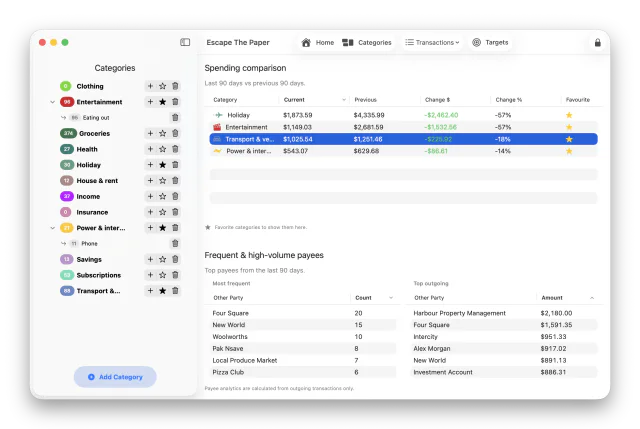
Create categories that match how you think about money. Add tags, review suggested matches, and teach the app when it should suggest more, suggest less, or always assign a match.
3. Set targets and see patterns
Give a category an optional weekly spending goal, or create a target for a future amount and date. Income and savings categories stay separate from spending so Home and Weekly Overview totals remain meaningful.
Understand categories, goals, and targets.
4. Keep separate budgets when you need them
Create multiple independent budget files for personal, household, flatting, hobby, or other uses. Optional business tracking can flag relevant transactions inside a budget, show a period-based profit and loss, and export the current report to CSV.
Your budget files stay under your control
Keep each budget file where it makes sense for you, import fresh bank exports when you are ready to review them, and use your normal Mac backup habits to protect important records.